> ## Documentation Index
> Fetch the complete documentation index at: https://docs.raehost.com/llms.txt
> Use this file to discover all available pages before exploring further.
# Cara Reset Dunia
Fitur ini hanya digunakan jika benar-benar ingin memulai dunia baru! Semua progress lama akan hilang!
## Java Edition
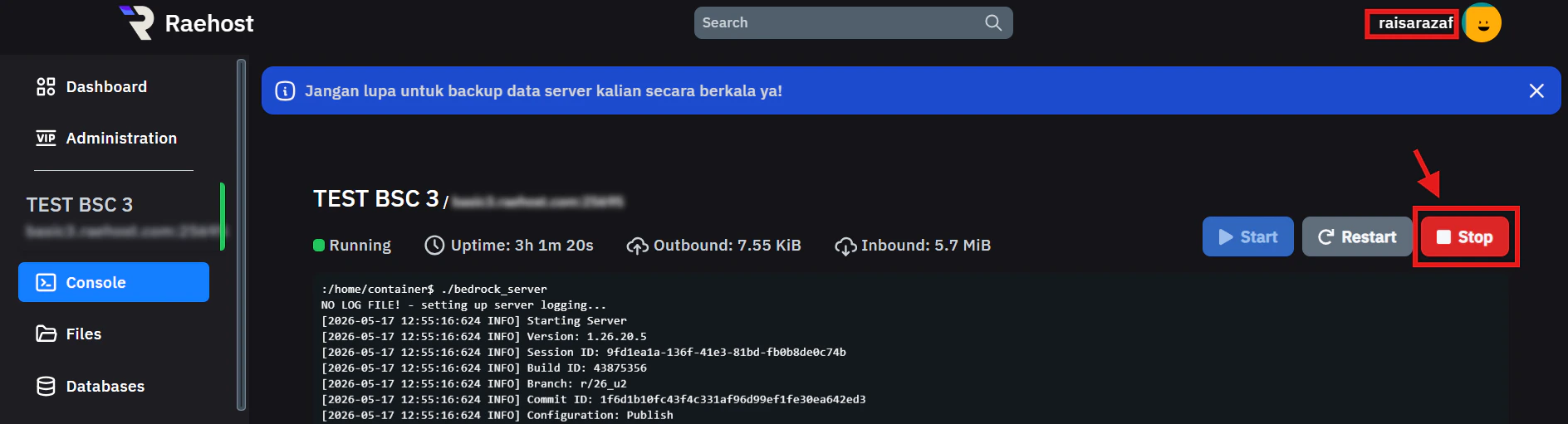
Untuk melakukan ini, kamu perlu login ke panel melalui [https://panel.raehost.com/](https://panel.raehost.com/) Kemudian pilih servermu. Kemudian stop server dengan menekan tombol `Stop` seperti yang ditunjukkan oleh nomor 1.
 Masuk ke tab `Files` kemudian hapus file berikut
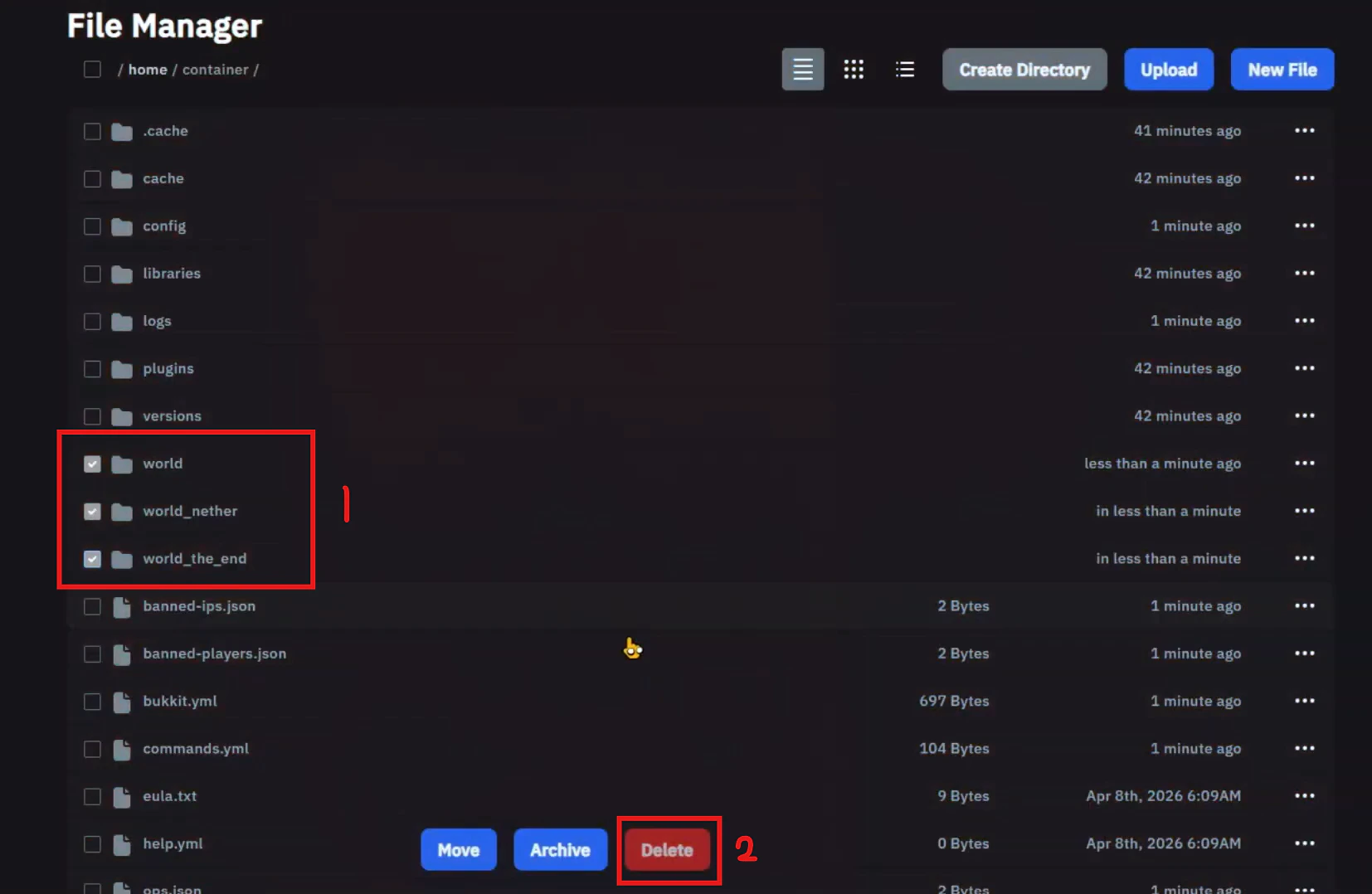 1. Hapus file `world`, `world_nether`, dan `world_the_end `
2. Klik tombol `Delete`
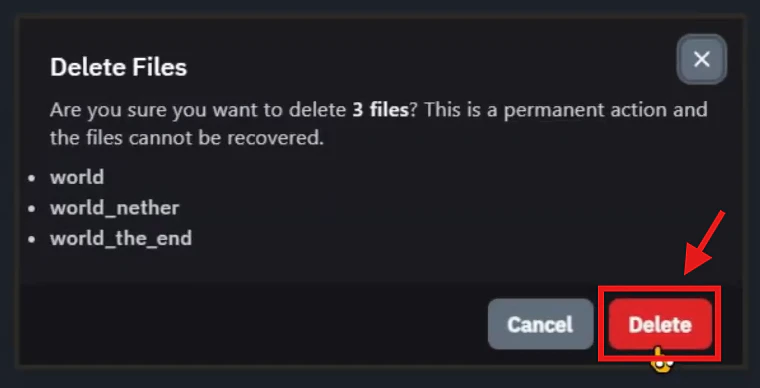
Akan muncul informasi dan klik tombol `Delete` seperti gambaar berikut:
1. Hapus file `world`, `world_nether`, dan `world_the_end `
2. Klik tombol `Delete`
Akan muncul informasi dan klik tombol `Delete` seperti gambaar berikut:
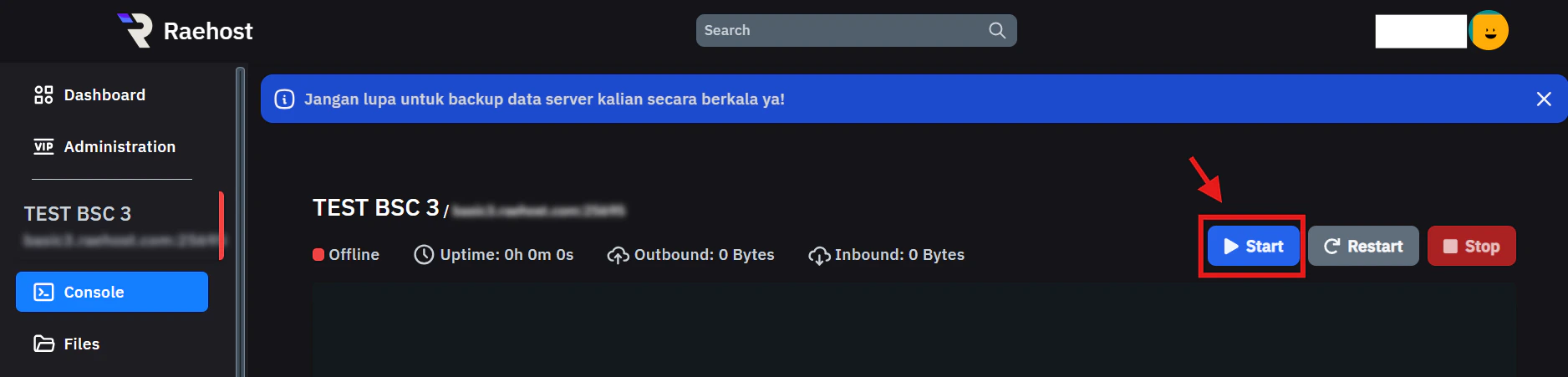
 Kemudian start server dengan menekan tombol `Start`pada tab `Console` seperti yang ditunjukkan pada gambar berikut:
 ## Bedrock Edition
Untuk melakukan ini, kamu perlu login ke panel melalui [https://panel.raehost.com/](https://panel.raehost.com/) Kemudian pilih servermu. Kemudian stop server dengan menekan tombol `Stop` seperti yang ditunjukkan oleh nomor 1.
Ikuti tata cara berikut:
## Bedrock Edition
Untuk melakukan ini, kamu perlu login ke panel melalui [https://panel.raehost.com/](https://panel.raehost.com/) Kemudian pilih servermu. Kemudian stop server dengan menekan tombol `Stop` seperti yang ditunjukkan oleh nomor 1.
Ikuti tata cara berikut:
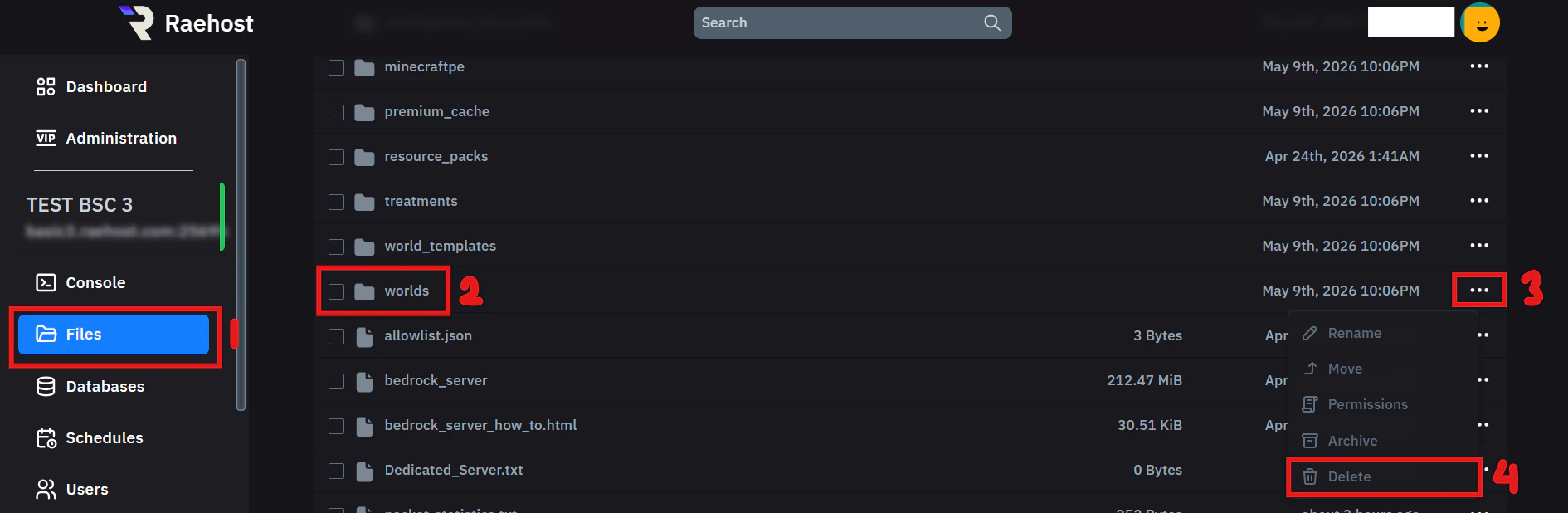 1. Klik tab `Files` seperti yang ditunjukkan pada nomor 1
2. Cari file `worlds` seperti yang ditunjukkan pada nomor 2
3. Klik icon detail pada file `worlds`
4. Pilih menu `Delete`
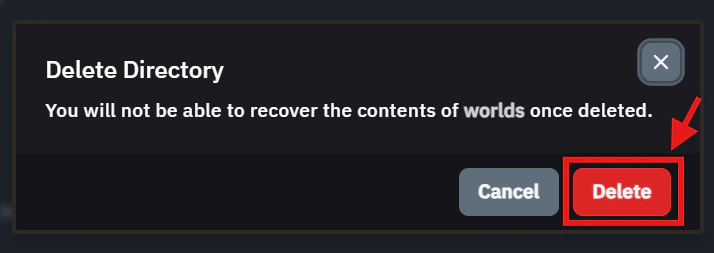
5. Klik tombol `Delete` seperti gambar berikut
1. Klik tab `Files` seperti yang ditunjukkan pada nomor 1
2. Cari file `worlds` seperti yang ditunjukkan pada nomor 2
3. Klik icon detail pada file `worlds`
4. Pilih menu `Delete`
5. Klik tombol `Delete` seperti gambar berikut
 Kemudian start server dengan menekan tombol `Start`pada tab `Console` seperti yang ditunjukkan pada gambar berikut: