.png?fit=max&auto=format&n=NPV4McX6kF8gbqEA&q=85&s=a447721d9d1d1009751021f7acf87cc3)

- Desktop
- Mobile
1
Download Software SFTP
Contoh:
- FileZilla
- WinSCP
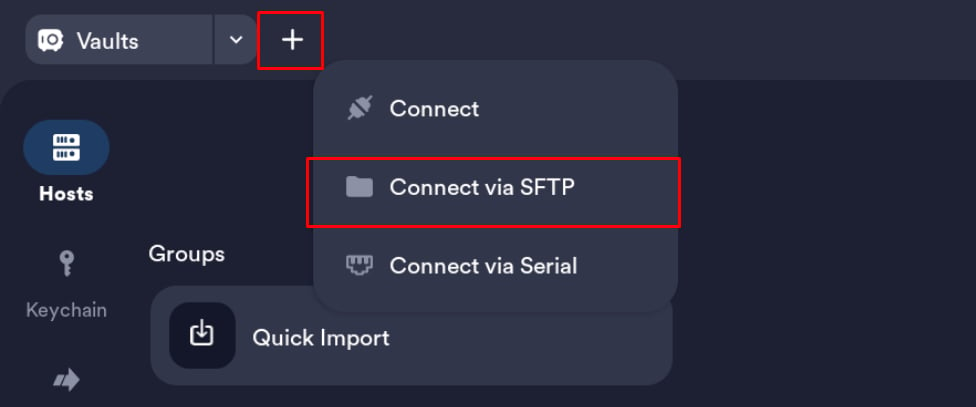
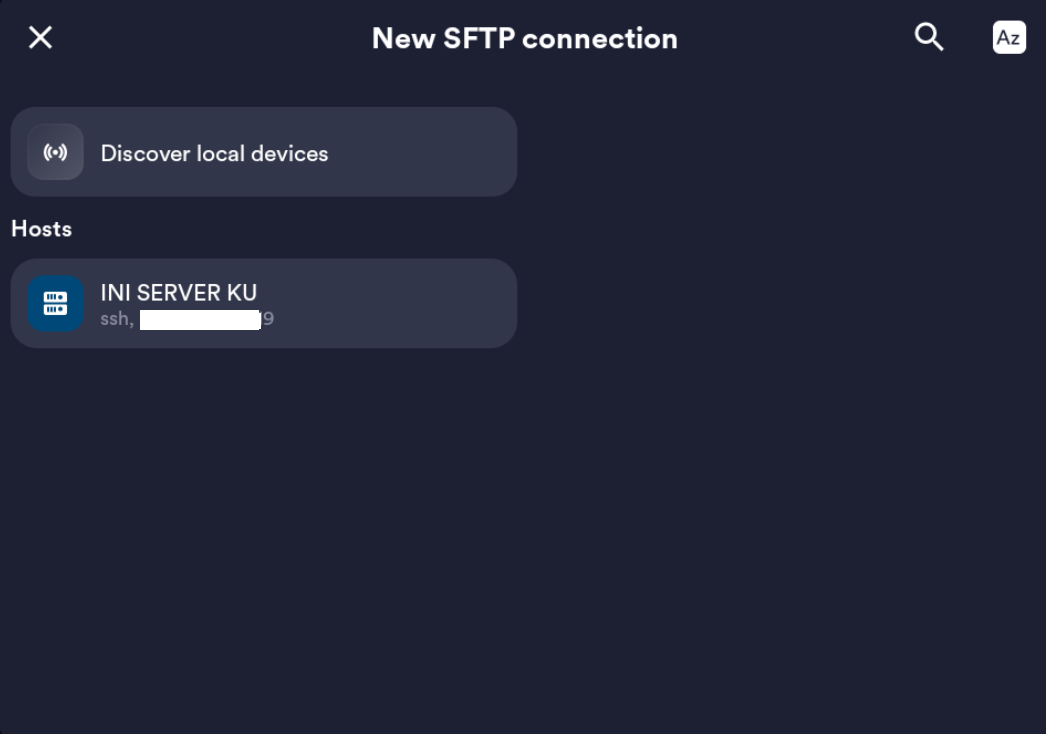
- Termius
2
Login ke Panel
Login ke panel melalui panel.raehost.com, lalu pilih servermu.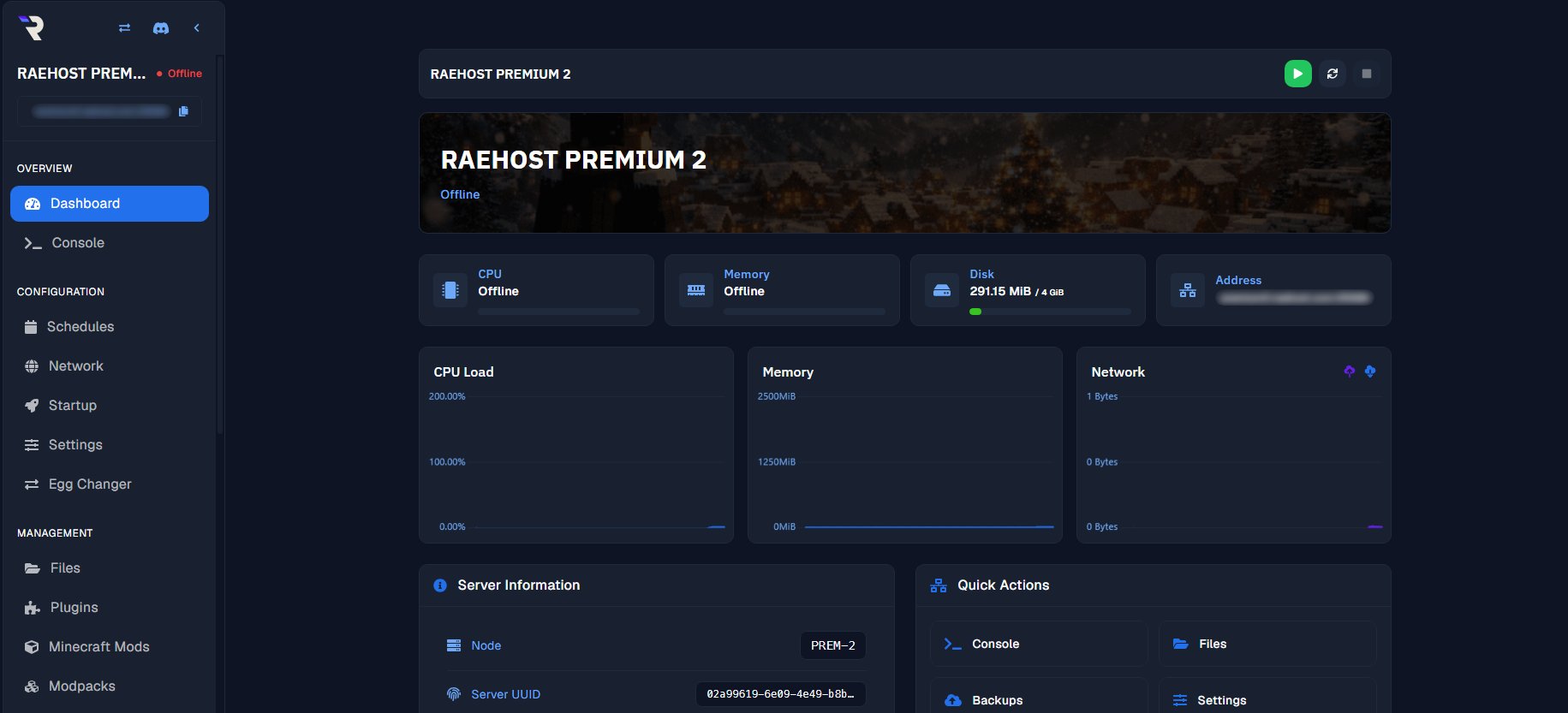
3
Masuk ke Tab Settings
Pada halaman server, klik tab Settings.
4
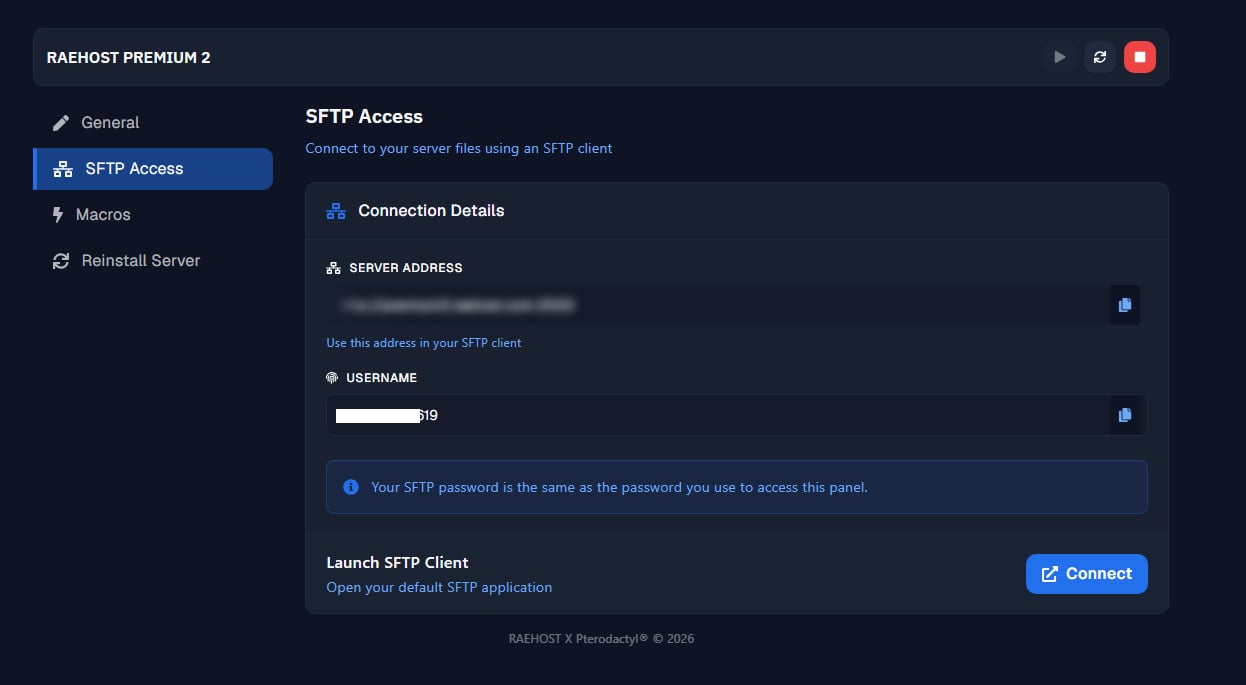
Klik SFTP Access
5
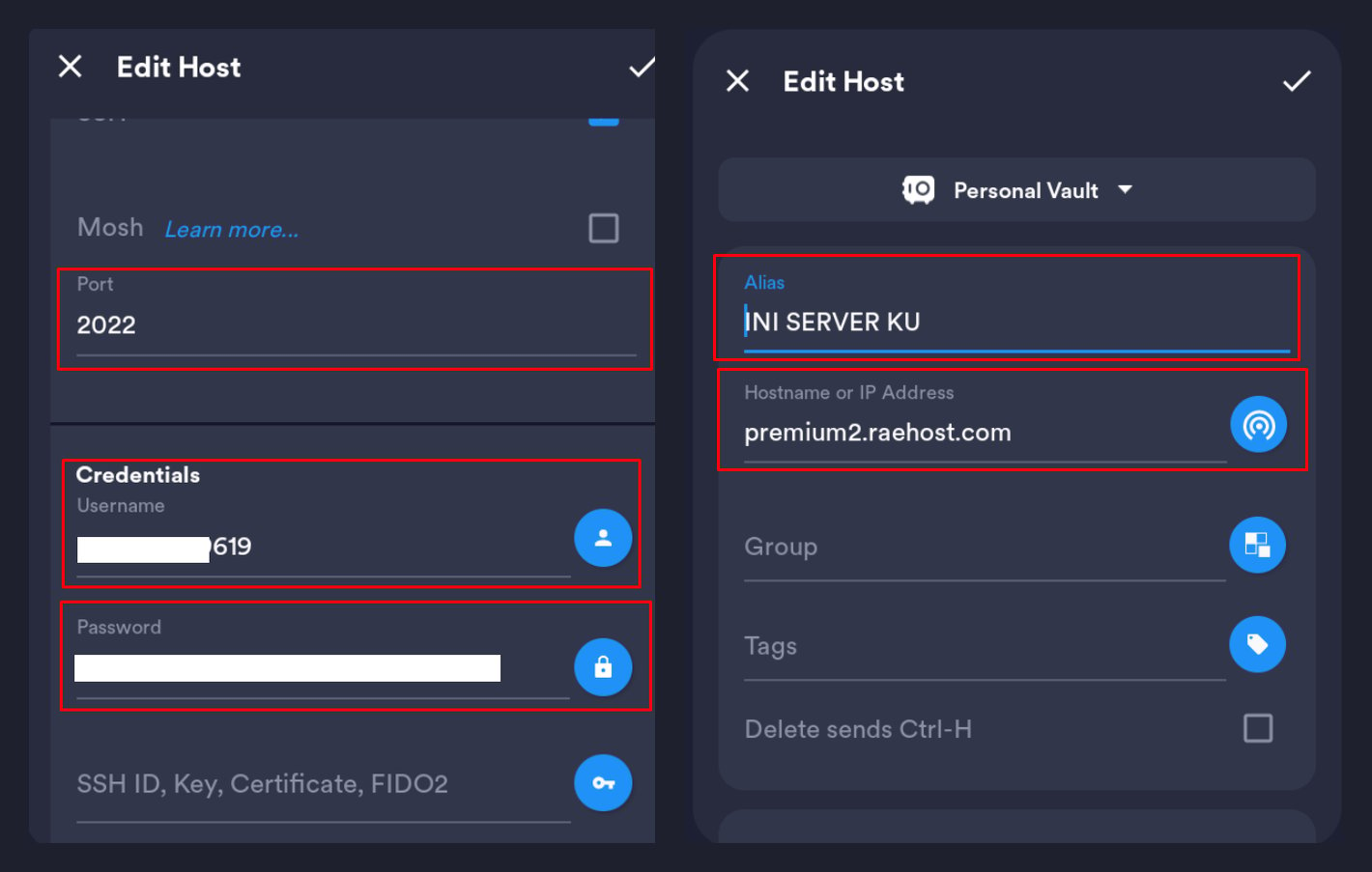
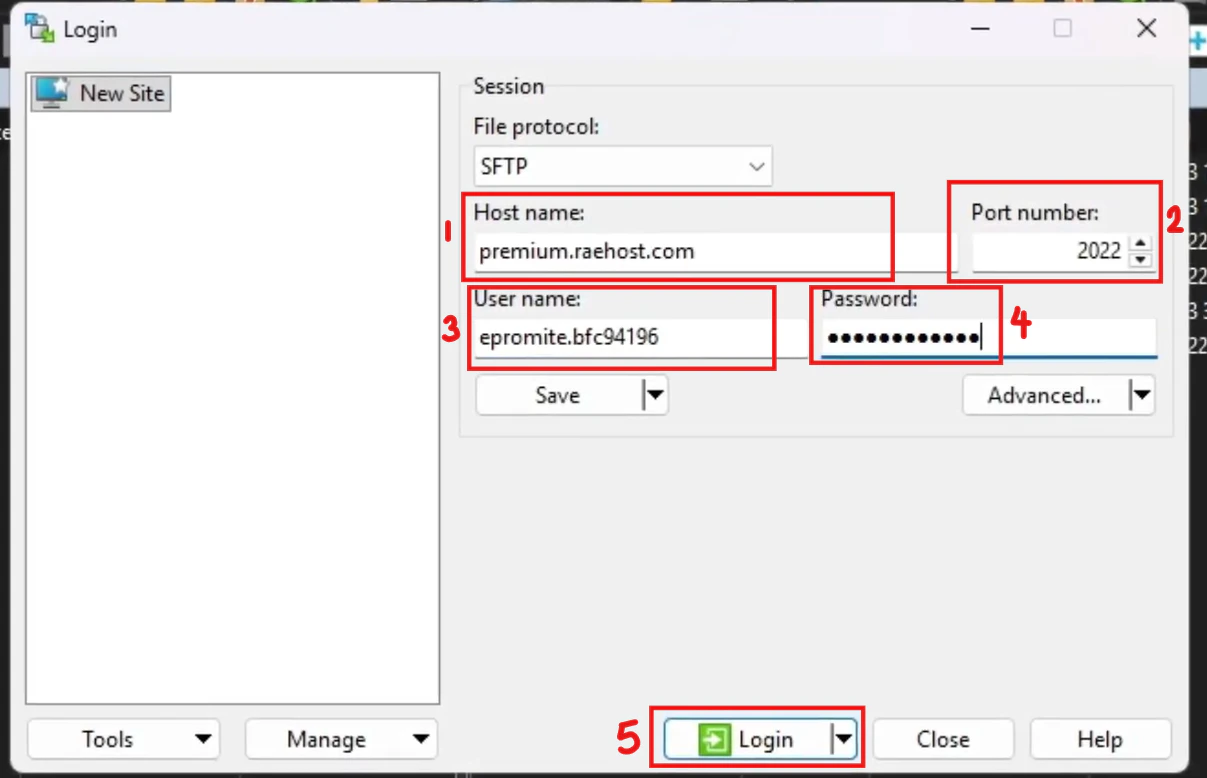
Hubungkan SFTP dengan Panel
- Instan
- Manual
1
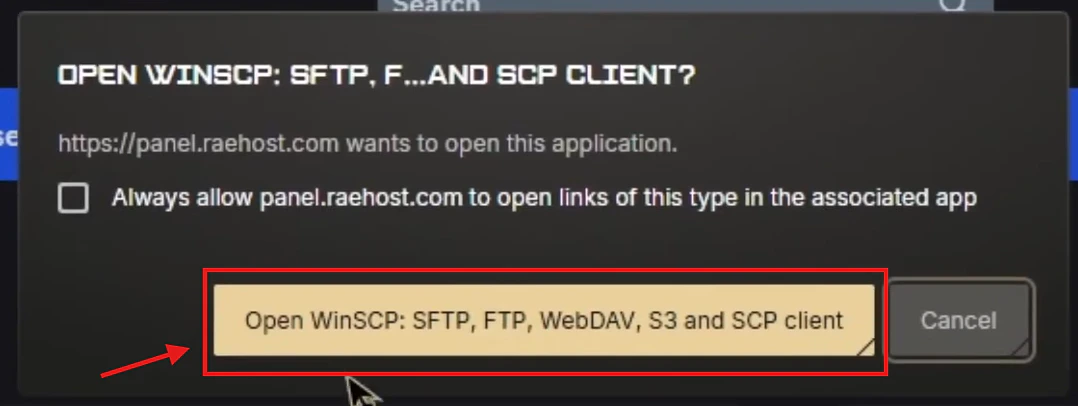
Klik Open pada pop up
2
Isi Password Panel
Masukkan password panel kamu, lalu klik OK.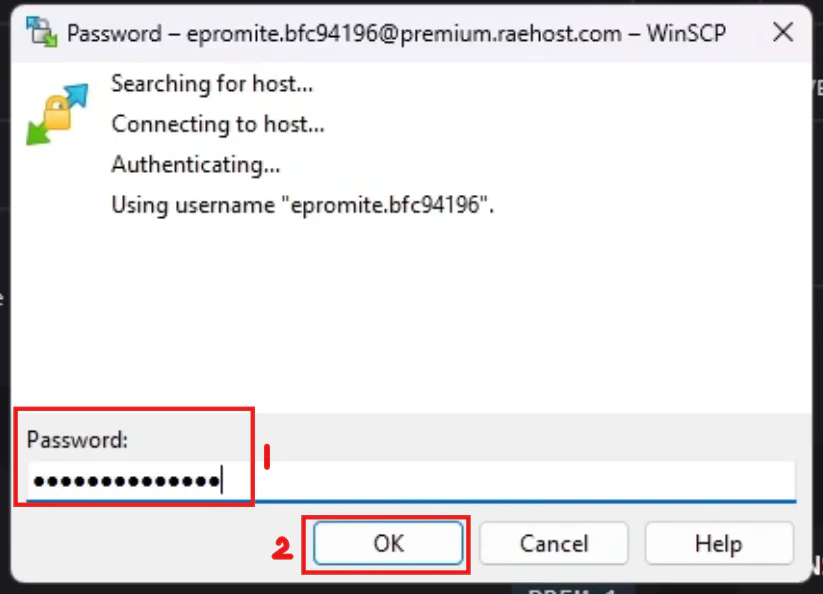
Login dengan Google? Atur password di clients.raehost.com/profile.
6
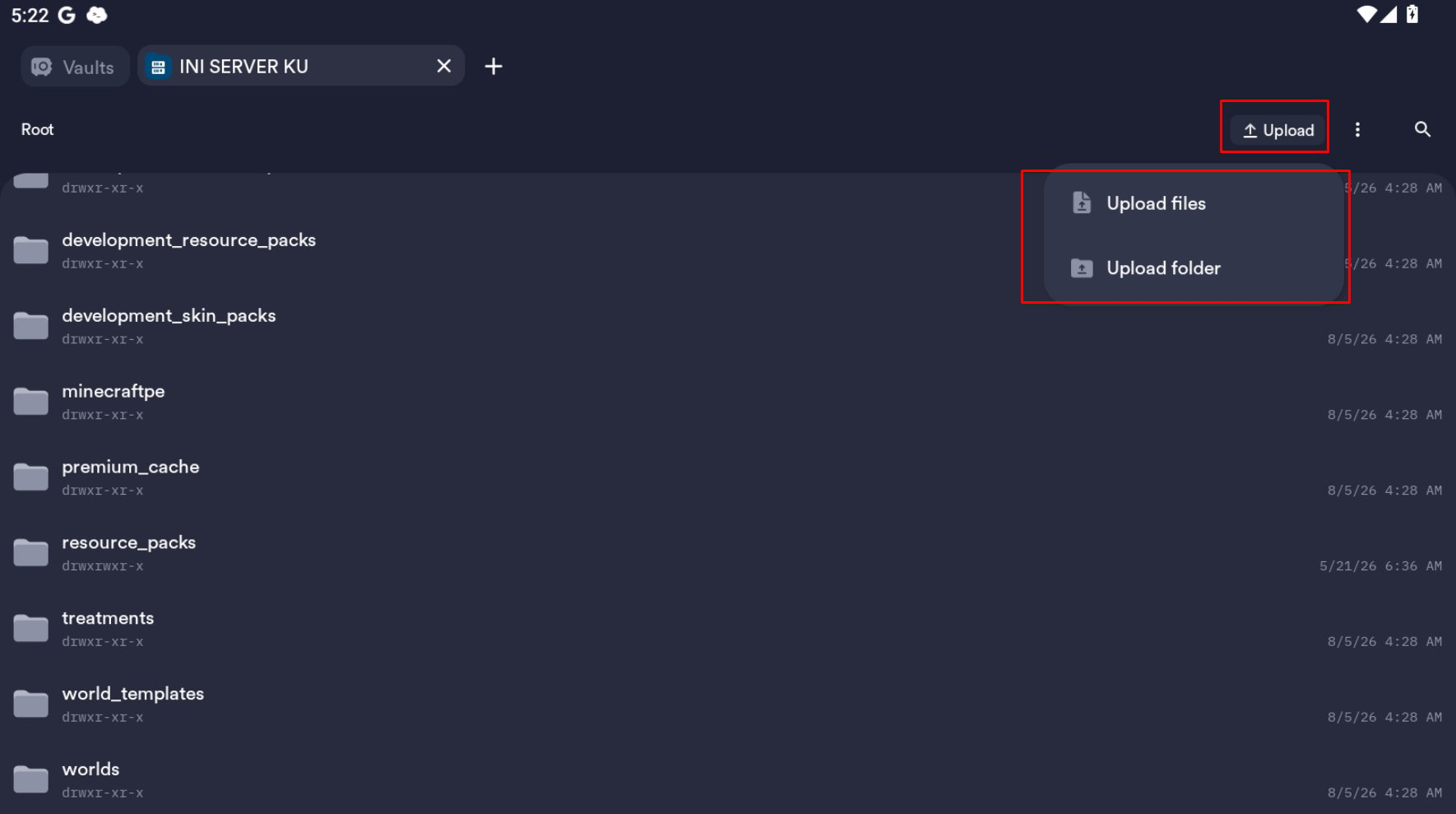
Drag & Drop File ke SFTP
Drag and drop file 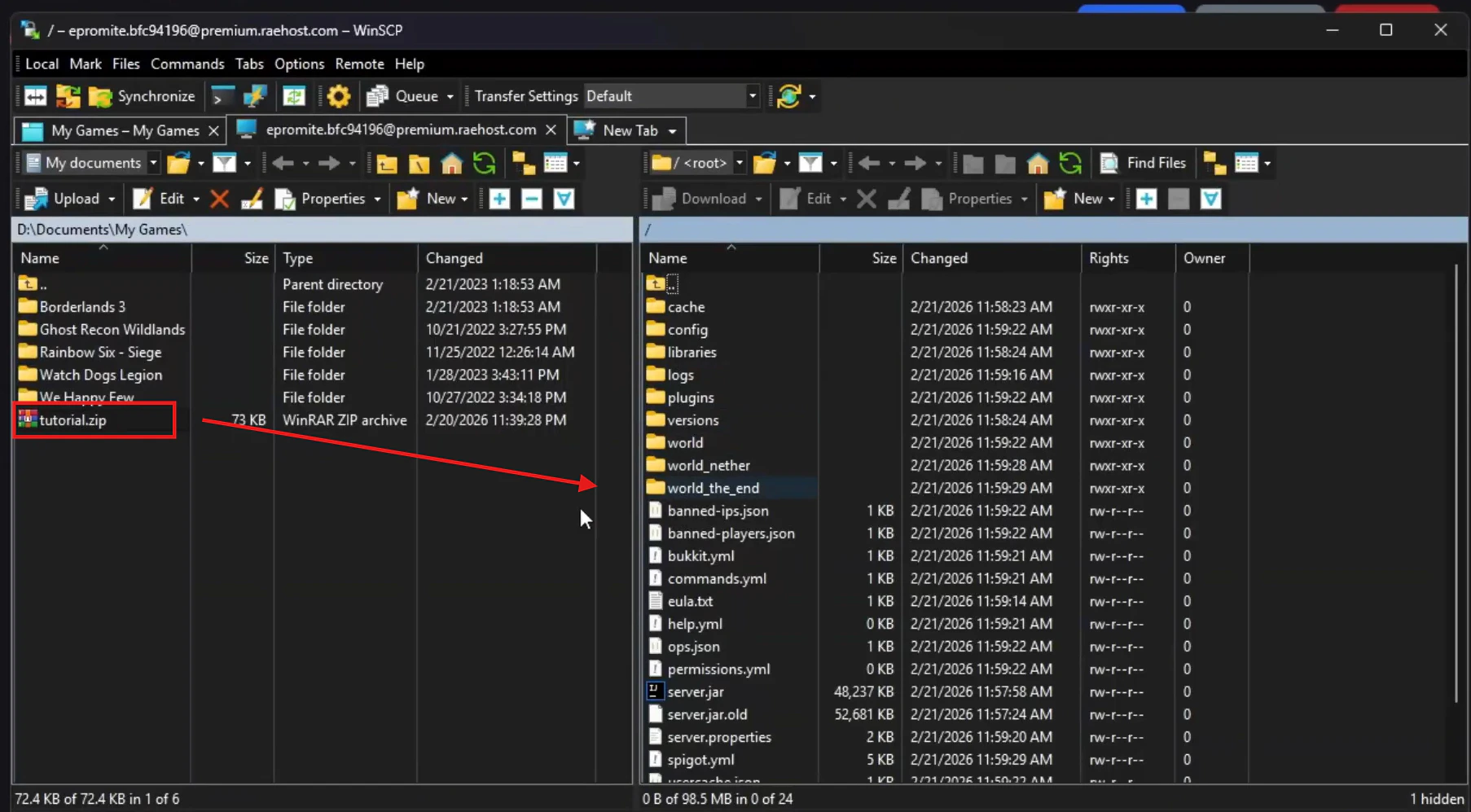
.zip kamu ke SFTP server.